LLM model fallback
A safety net for AI-powered chats: when the main model fails or slows down, traffic switches to a backup in under a second — and every switch is logged.
Context
When an AI model failed or slowed down, the whole chat flow could break — broken conversations, timeouts, and a spike in support tickets. Failovers that weren’t thought through also pushed inference costs up.
It made teams cautious, too. Rolling back a bad model was slow and manual, so people held off on shipping model upgrades at all.
The problem
There was no reliable way to keep AI flows running when the main model went down — and no clean record of what happened when it did.
Teams needed a backup plan they could set once and trust: one that switched automatically, stayed within cost and safety limits, and left a clear trail for audit.
A failing model shouldn’t mean a broken conversation.
My contributions
Strategy & alignment
Ran workshops with ML, SRE, product, and ops to agree on what mattered — the safety rules, the metrics to watch, and when a fallback should kick in.
Service & failure mapping
Mapped the whole request path and the ways it breaks — timeouts, wrong answers, quality drops, cost spikes — and set the signals that trigger a switch.
Interaction & UI
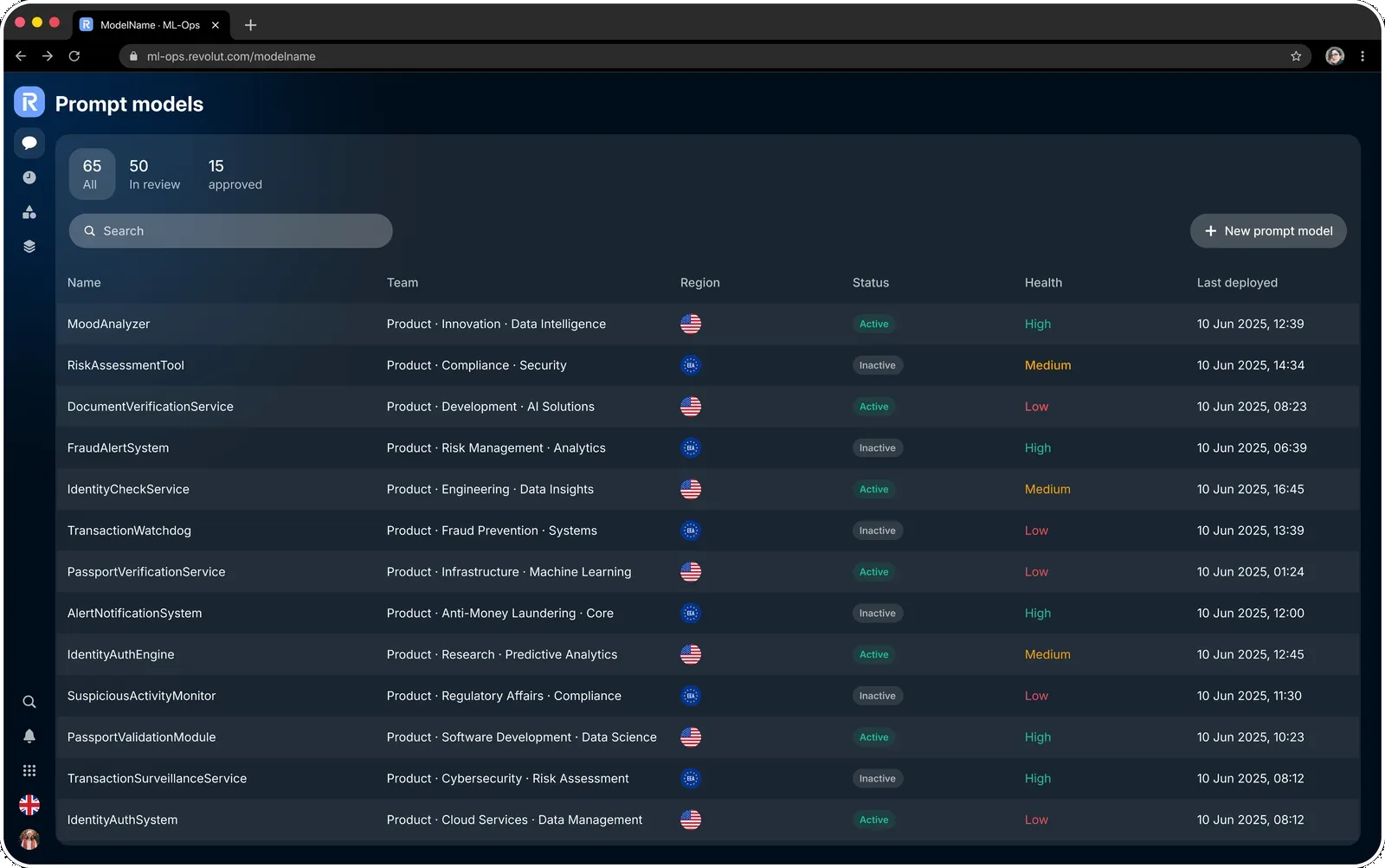
Designed the fallback dashboard: set the order of backup models, choose what triggers a switch, and add guardrails.
Research & validation
10 stakeholder interviews and 6 usability sessions, plus a two-week pilot on live traffic to check the triggers and copy held up.
Benchmarking
Looked at how other AI platforms handle failover and safety, then borrowed the good defaults and fixed the gaps.
Handoff & rollout
Shipped specs and copy, worked with engineers on logging and audit trails, and rolled out in phases — pilot, then a few teams, then everyone.
Research & validation
Before shipping, I checked how teams were coping today and whether the new flow actually held up under real use.
Ten interviews across ML, SRE, product, and support; six usability sessions on the prototype; and a two-week pilot on two live flows — plus a quick look at how other AI platforms handle failover, to borrow the sensible defaults.
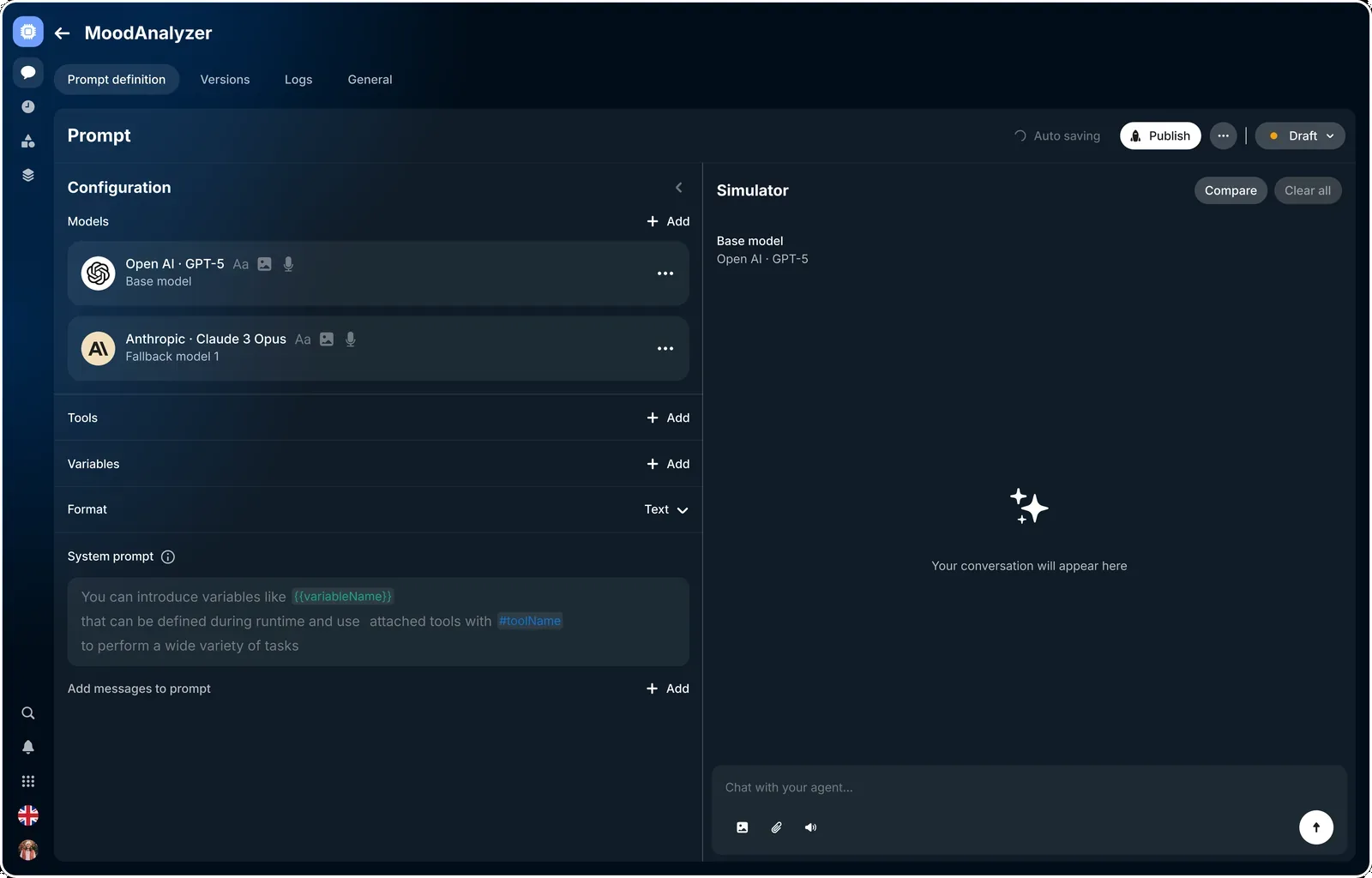
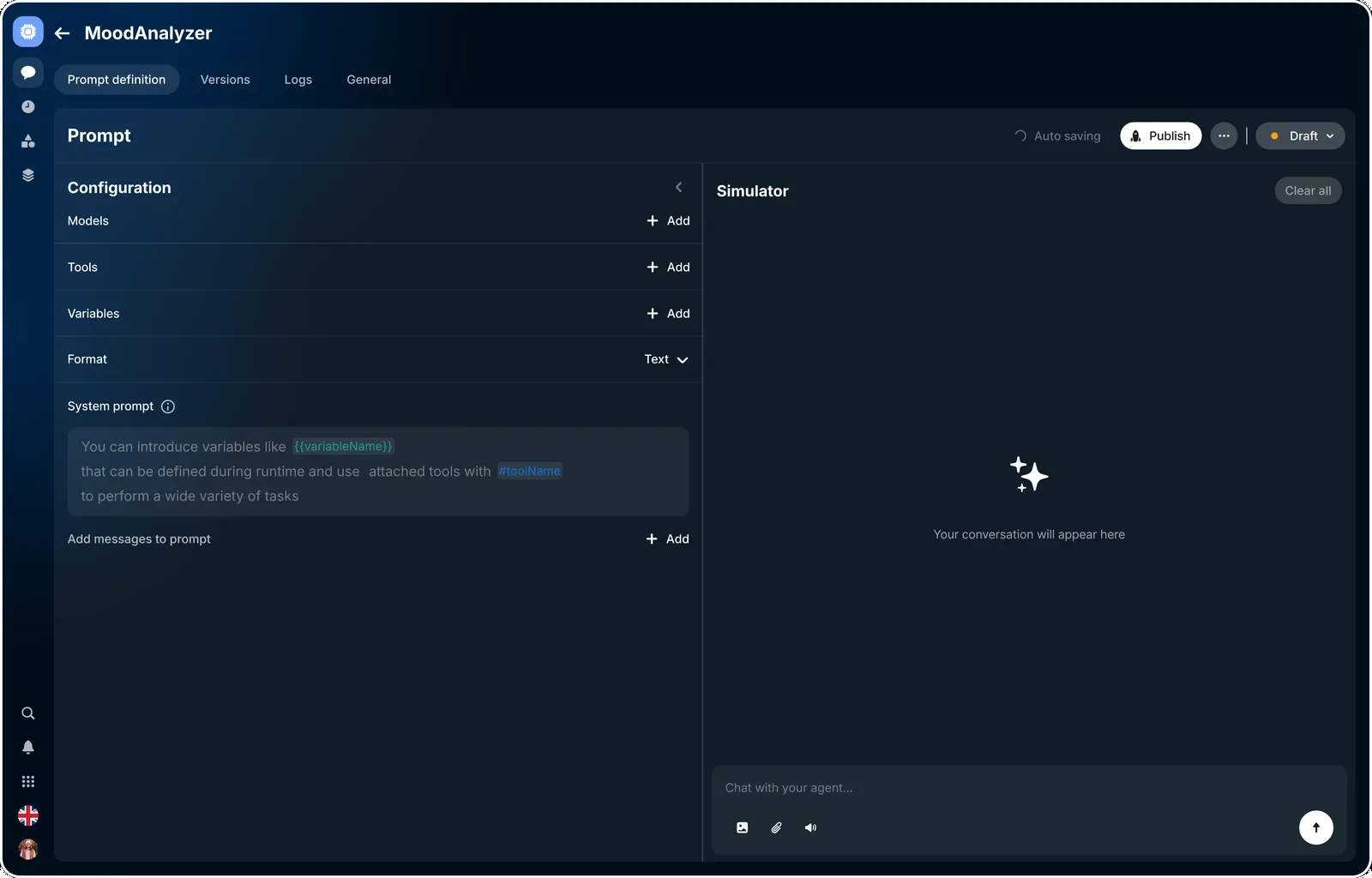
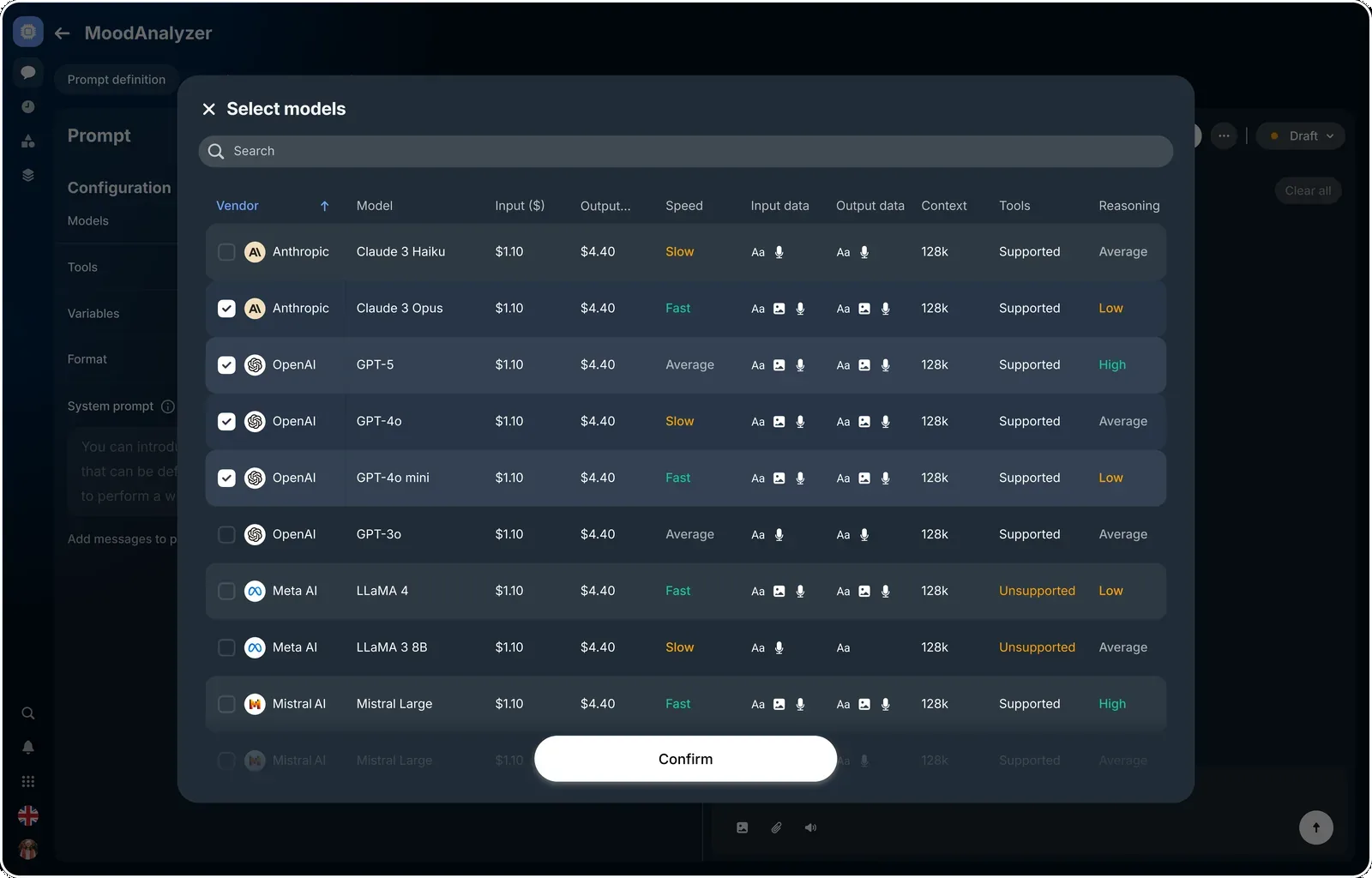
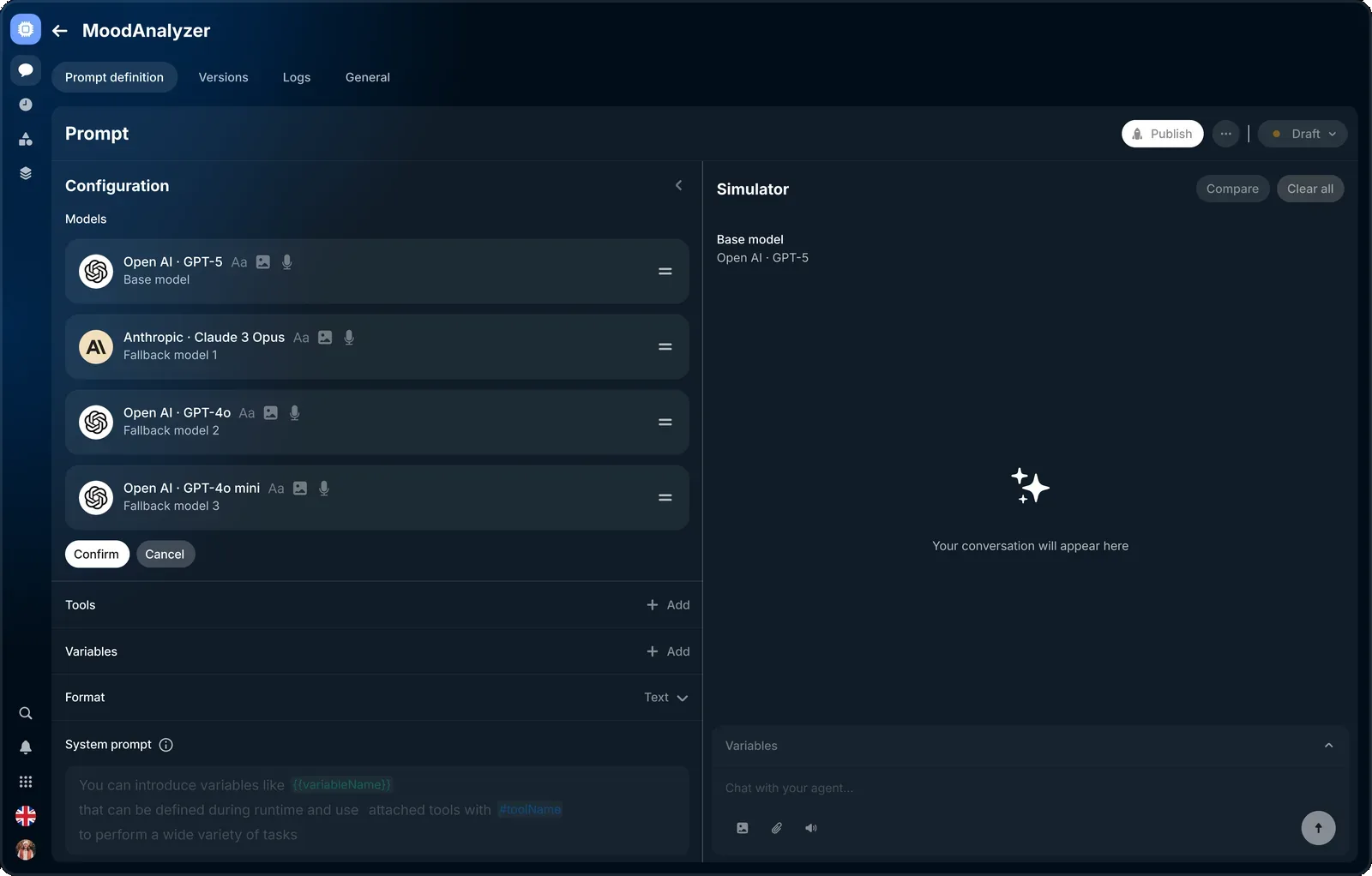
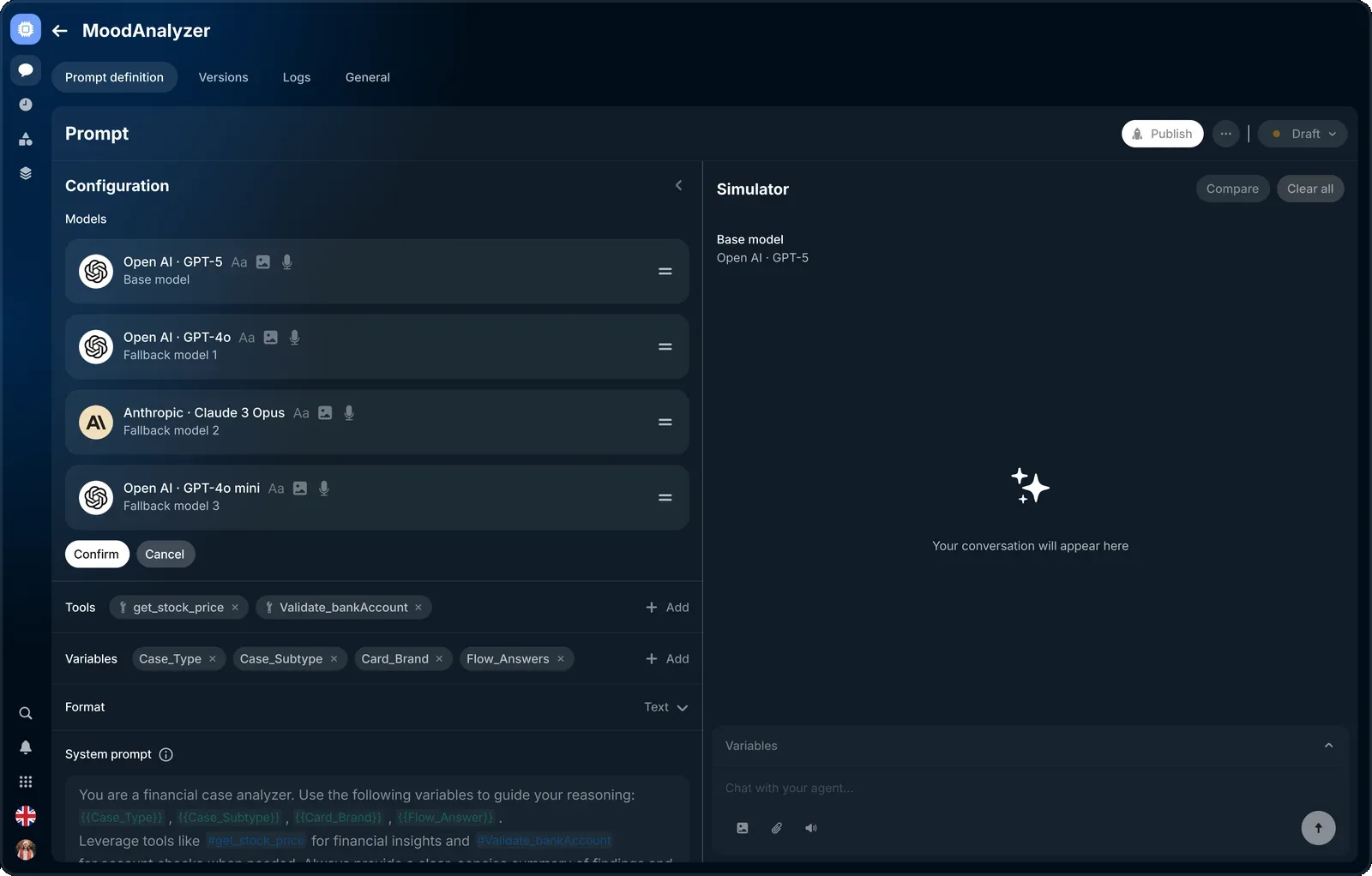
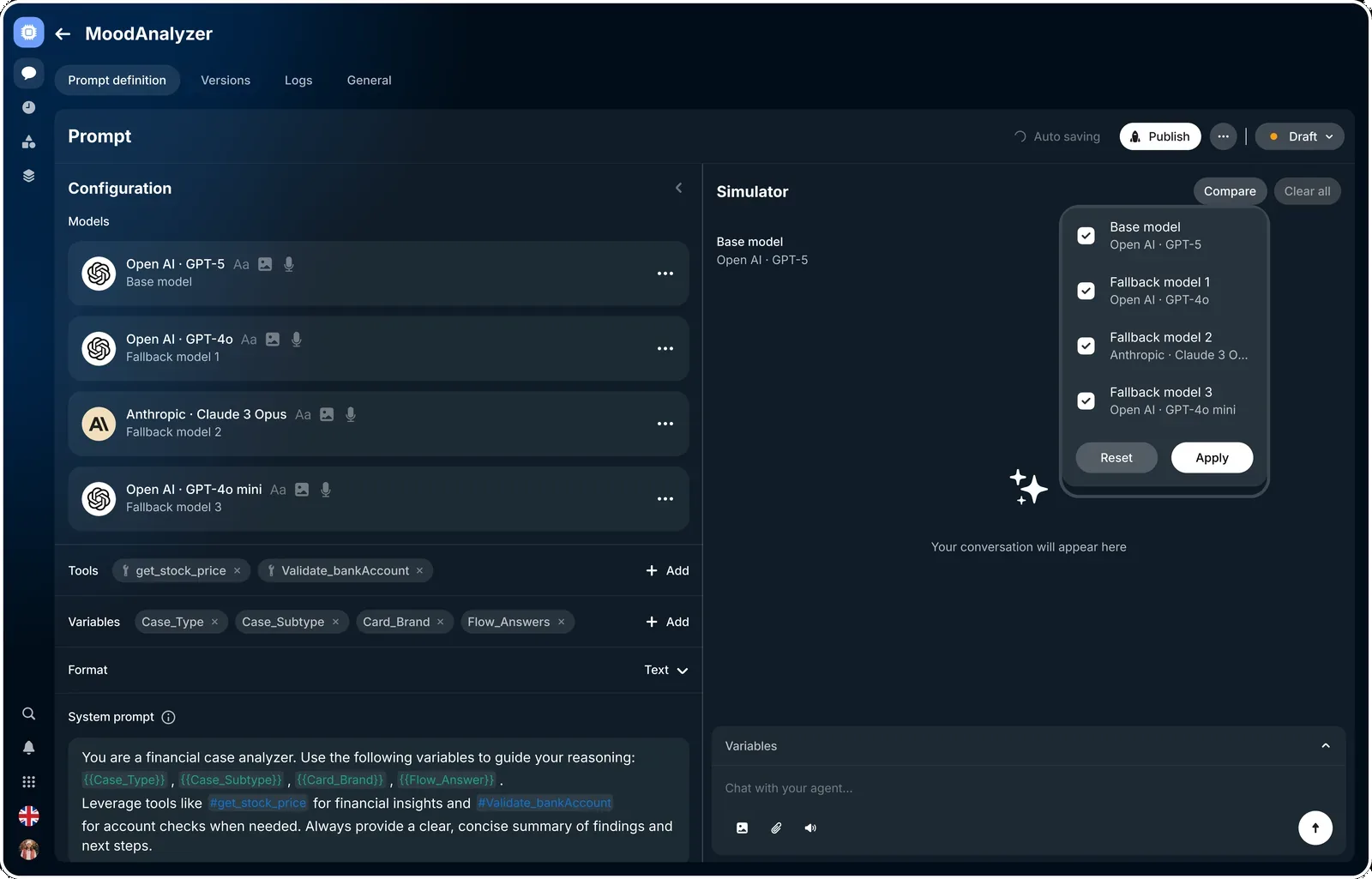
Set up a fallback in minutes
Pick a base model, add a couple of backups in order, and set what counts as a failure. No pull requests, no approvals — it’s a few clicks.
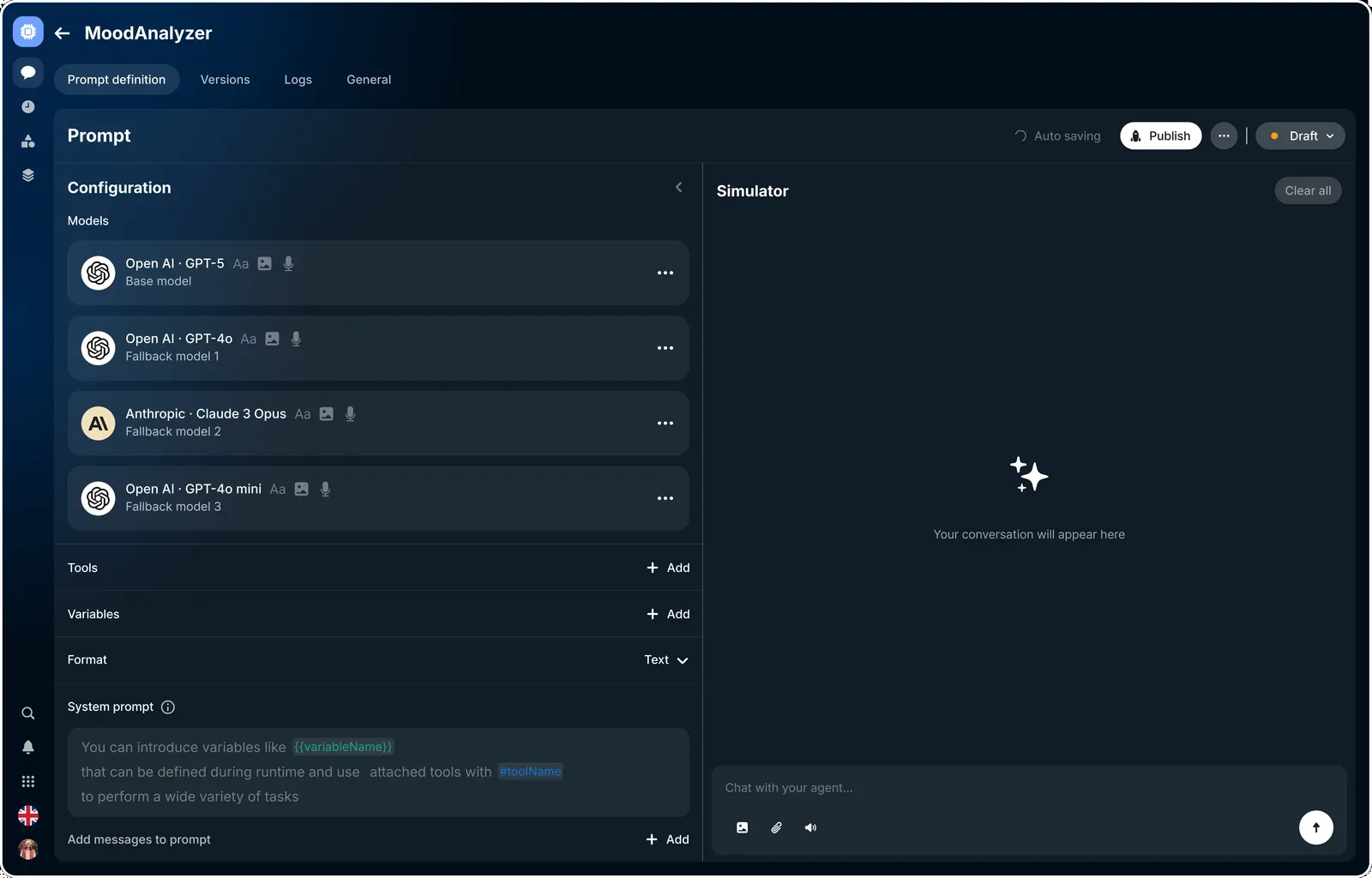
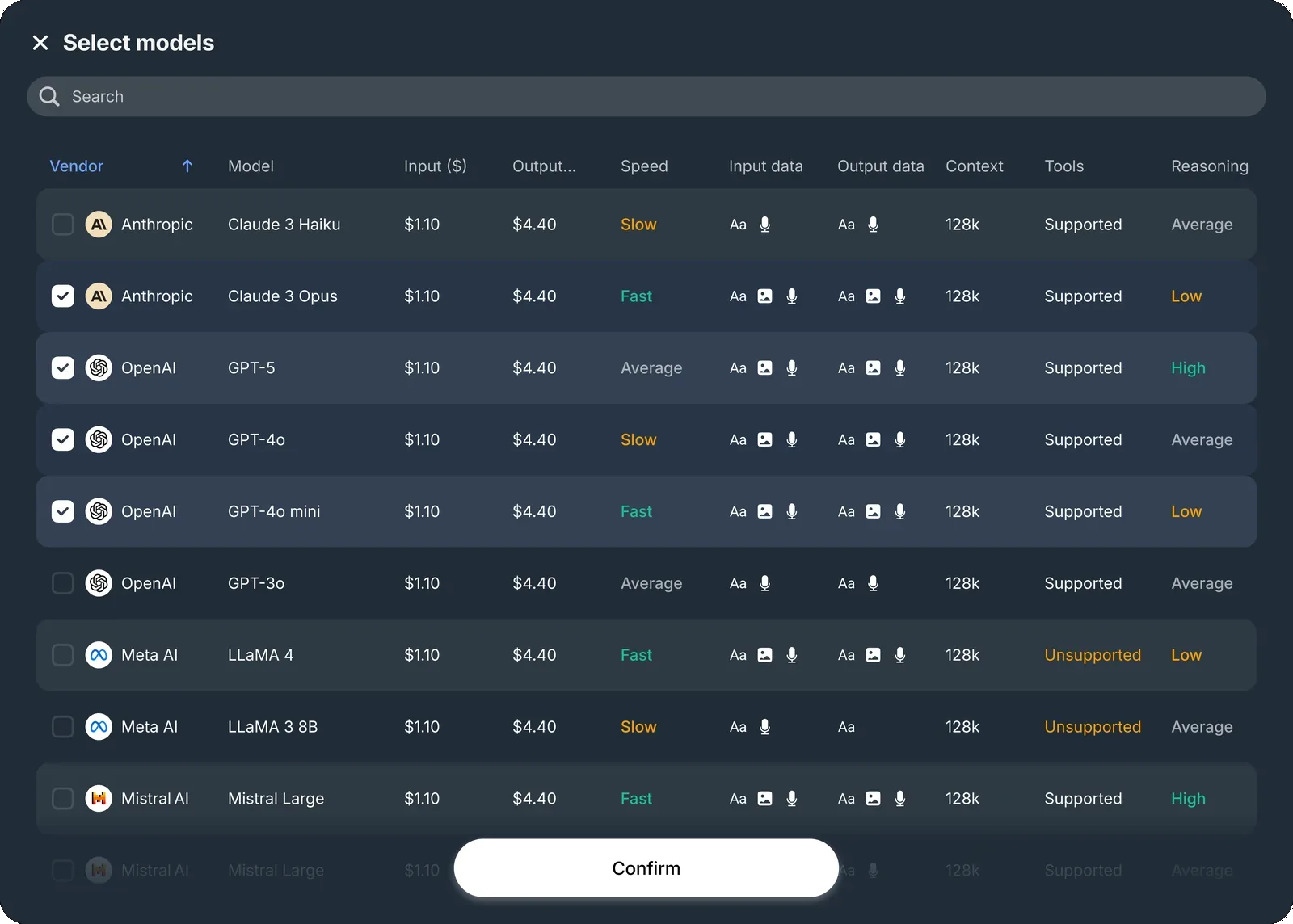
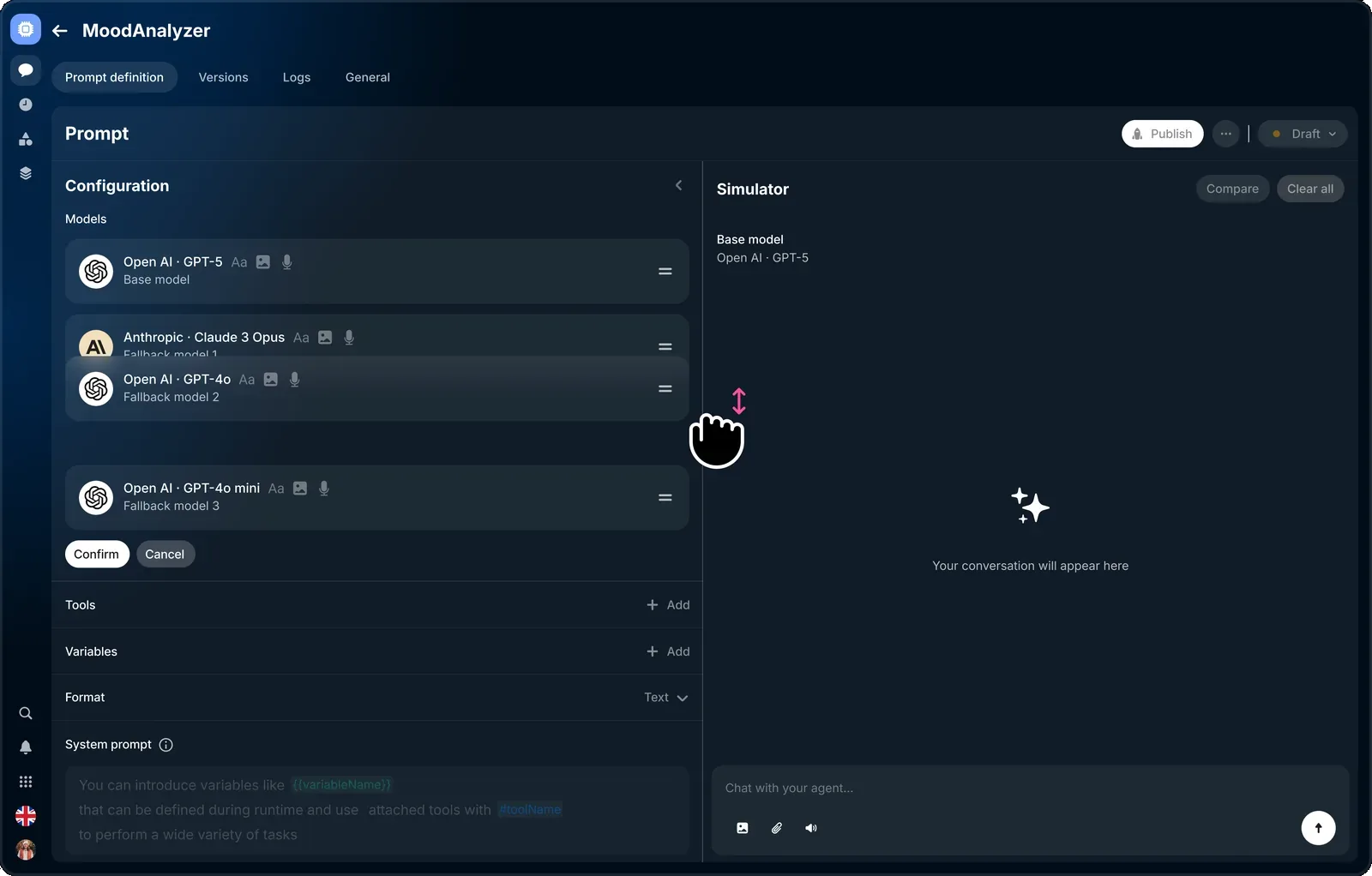
Reorder the chain by dragging
The order is the priority — top to bottom. Drag any model to change which backup runs first.
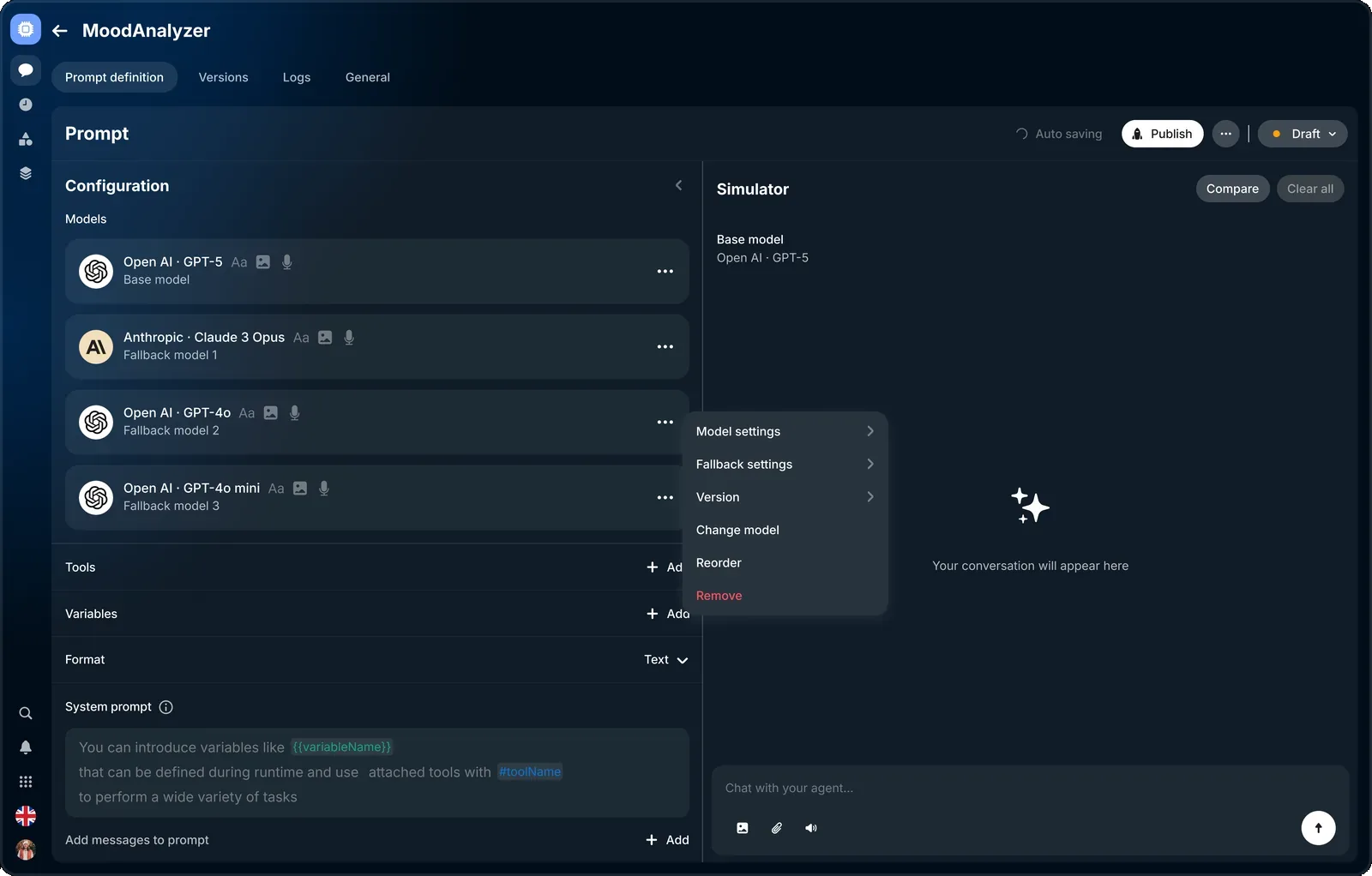
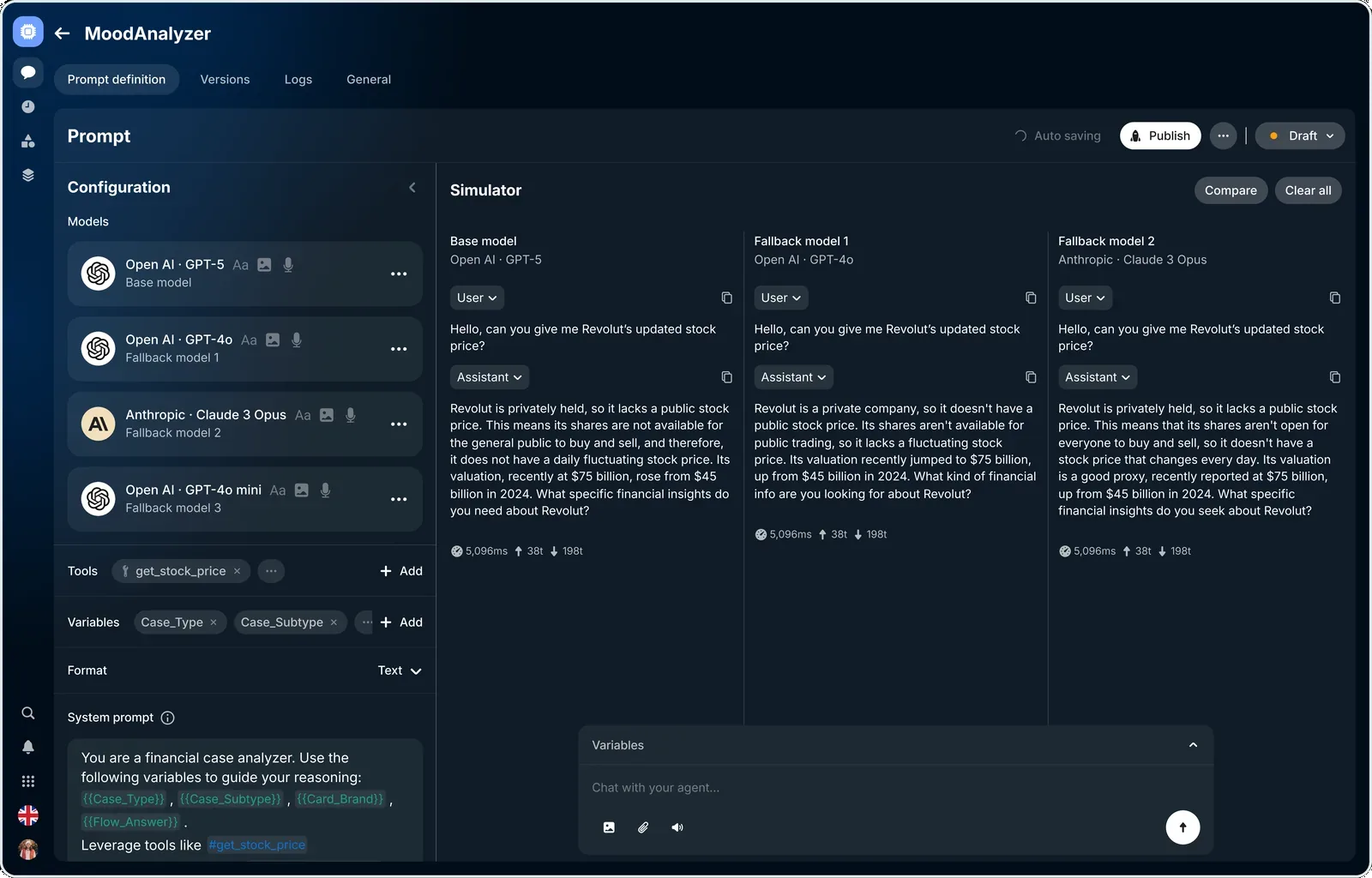
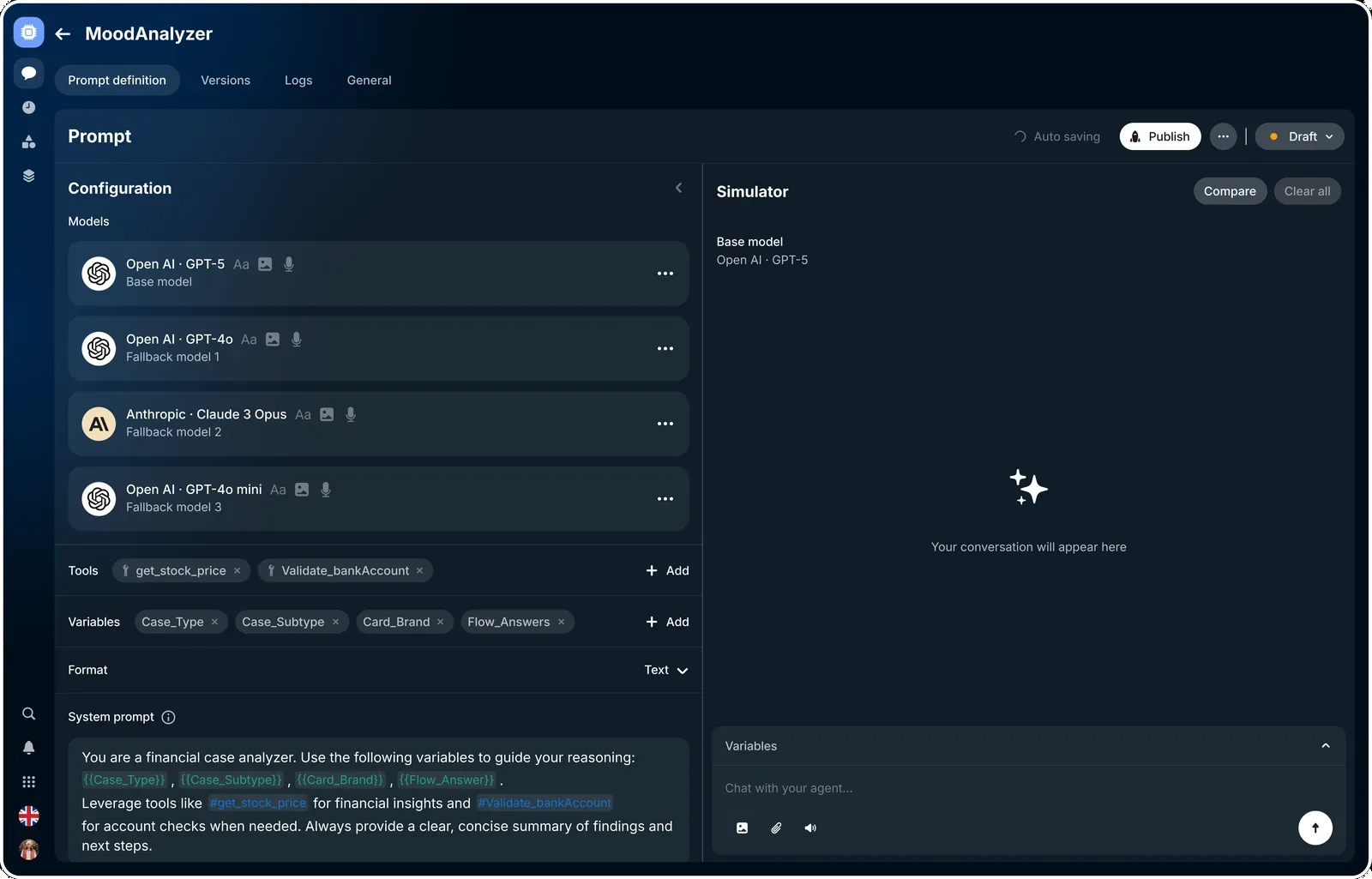
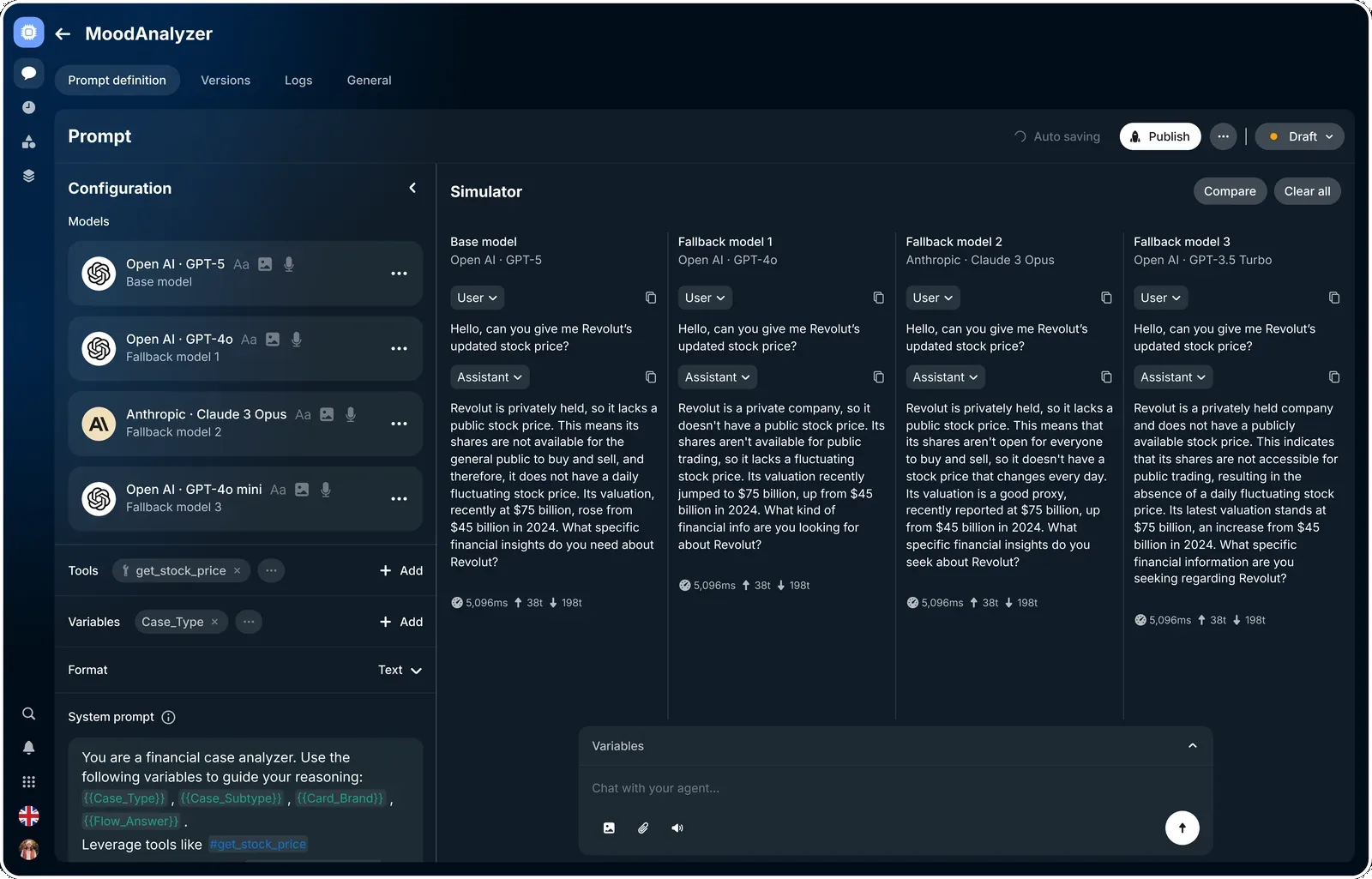
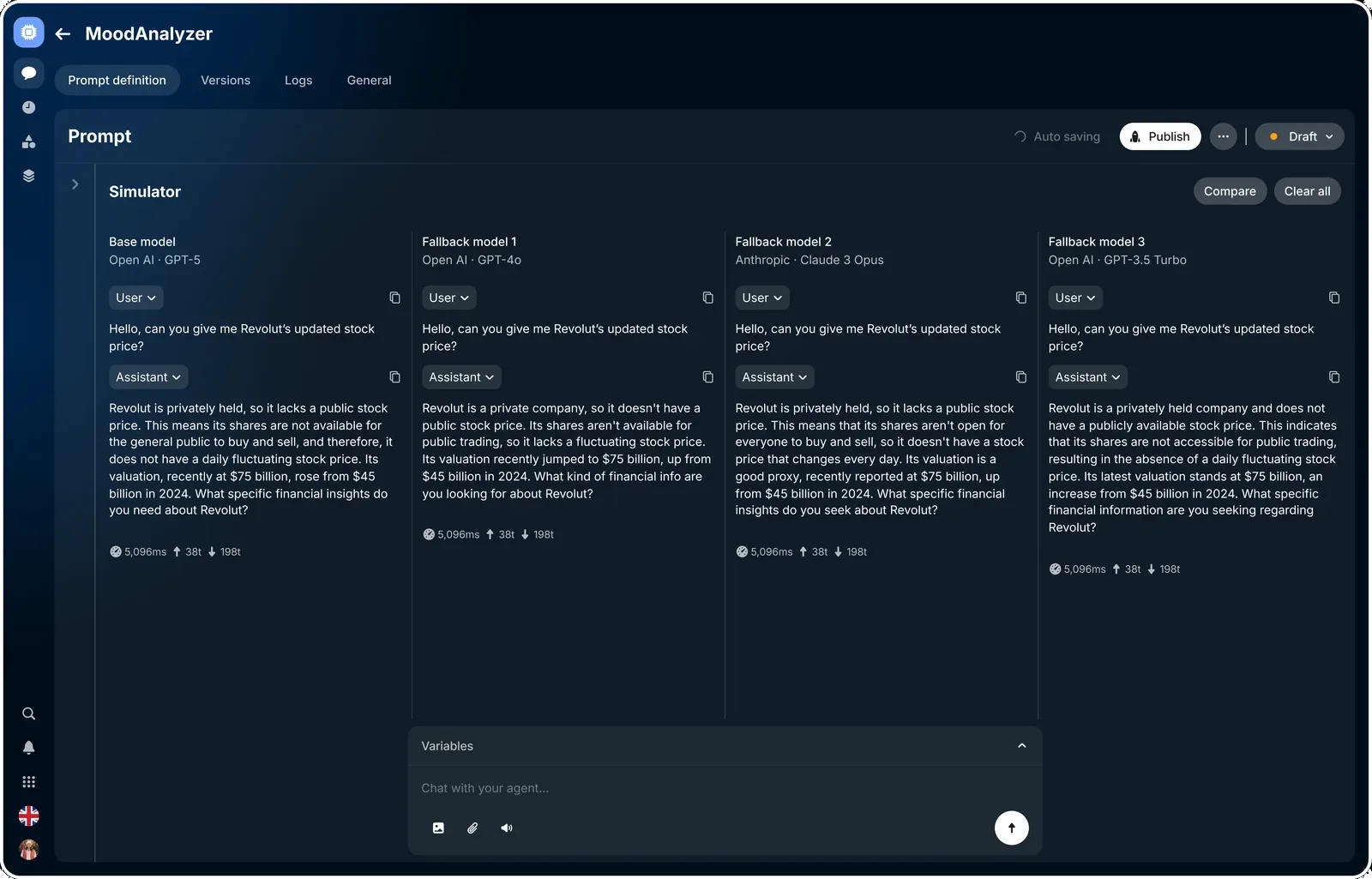
Compare every model on the same question
Run the base model and each backup against the same input, side by side — an easy way to see how a fallback would actually answer before you rely on it.
Outcomes & impact
Fewer user-facing incidents
Traffic routed around failing models instead of breaking the chat — so customers hit fewer broken conversations and timeouts.
Faster recovery
On-call teams spent far less time manually diagnosing and fixing model failures.
Lower support cost
Fewer AI-related incidents meant fewer support tickets and manual fixes.
Safer, faster iteration
With an auditable, reversible safety net, product and ML teams shipped model upgrades far more often.
Higher AI adoption
As reliability improved, more product teams turned on AI-driven flows in production.
Before / after
| Measure | Before | After | Change |
|---|---|---|---|
| AI-workflow uptime | 73.84% | 99.0% | +25 pp |
| Visible AI failures · per 10k | 75 | 40 | −47% |
| Time-to-recovery (median) | 10 min | 0.8 min | −92% |
| Session completion | 79% | 93% | +14 pp |
| Support tickets · per week | 120 | 50 | −58% |
| Time to set up a fallback | 72 hr | 1 min | −99.9% |
| Adoption · teams using it | 20% | 95% | +75 pp |
From internal pilot metrics across two product teams over the first three months.
It moved Revolut from fragile AI deployments to reliable, auditable ones — fewer customer-facing failures, less manual firefighting, and the confidence to ship model upgrades faster.
Why it mattered